

ainb TUI learnings plugin
learnings is the read-only memory browser plugin for the ainb terminal UI. reflect writes the knowledge base; this plugin only reads it. It has three tabs (Browse, Search, Graph) and never writes notes or re-indexes.
Prefer a browser? The web equivalent, which can also curate, is the memory browser.
reflect (hooks, /reflect, reflect add) learnings (ainb TUI) ────────────────────────────────────── ──────────────────── capture + index ──▶ ~/.learnings ──read──▶ Browse | Search | Graph ~/.cache/qmd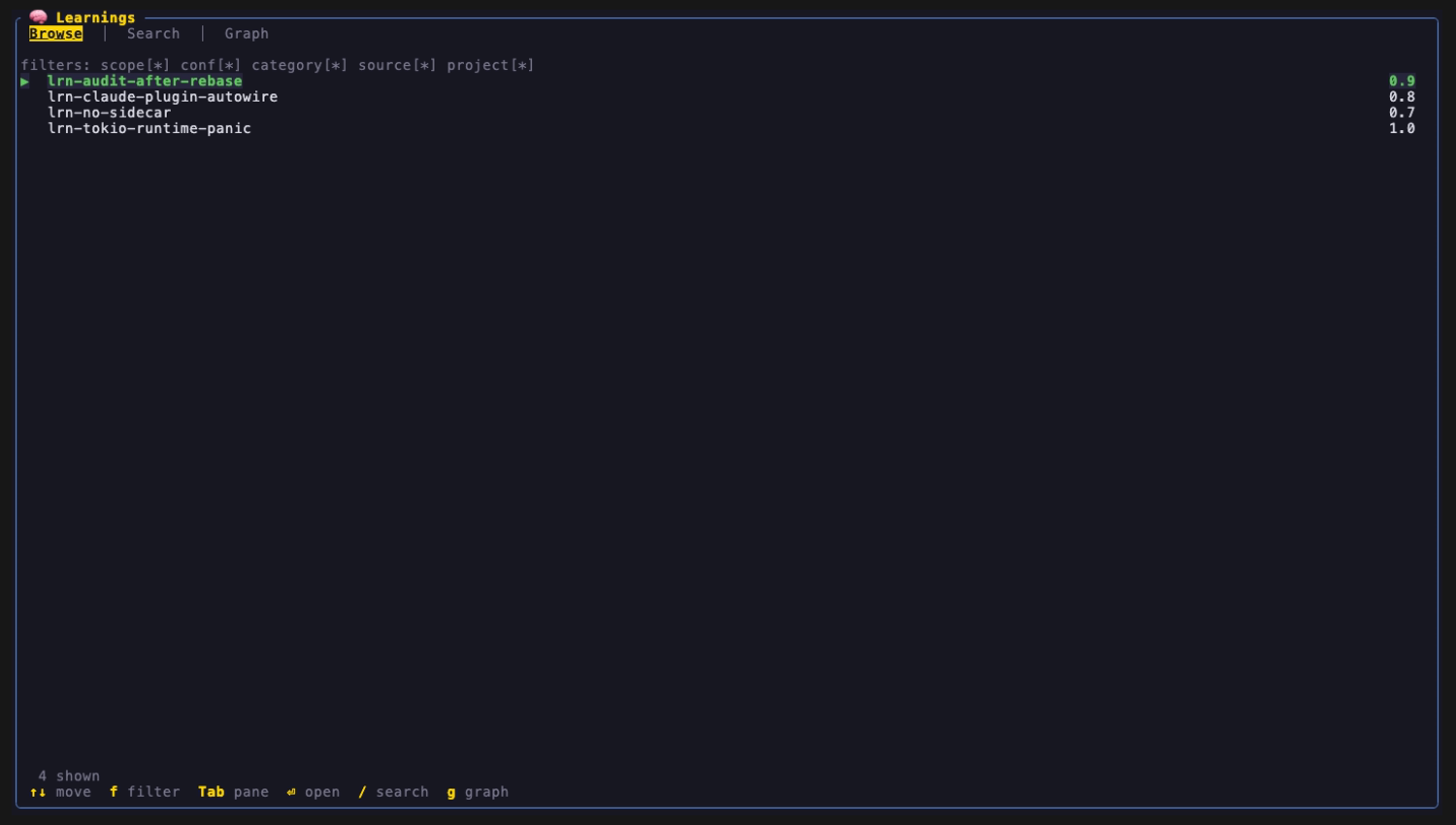
Open it
Section titled “Open it”| From | How |
|---|---|
| ainb home / session list | m |
| ainb slash palette | /recall or /memory (aliases) |
| shell, no UI | ainb learnings search <query> (see Headless search) |
The plugin is lazy-spawned: it stays dormant until you open the screen or run the CLI, and idles out after 600 seconds.
What it reads
Section titled “What it reads”| Artifact | Default path | Used by |
|---|---|---|
Learning notes (*.md, YAML frontmatter) |
~/.learnings/documents/learnings |
Browse, Detail |
Entity sidecars (<id>.entities.yaml) |
next to each note | Graph (typed edges) |
| nano-graphrag cache | ~/.learnings/nano_graphrag_cache |
Graph community view |
| qmd index | ~/.cache/qmd/index.sqlite, collection learnings |
Search |
Search shells out to the qmd binary. The plugin does not open the sqlite file itself. Sidecars and the graph cache are read directly from disk.
Browse
Section titled “Browse”Lists every note by id with its confidence, above a chip bar (scope, conf, category, source, project).
| Key | Action |
|---|---|
↑ ↓ / j k |
Move selection |
f |
Cycle the scope chip through all values, then back to * |
⏎ |
Open the Detail pane |
Backspace / Esc |
Close Detail |
Only the scope chip is interactive. The other four chips render * and cannot be changed yet.
The Detail pane shows the title, key_insight, the Markdown body, the entity list, typed relationships as source --type--> target, and a provenance line (source_tool, source_path, confidence). While Detail is open every other key is swallowed so the list behind it cannot move.
Search
Section titled “Search”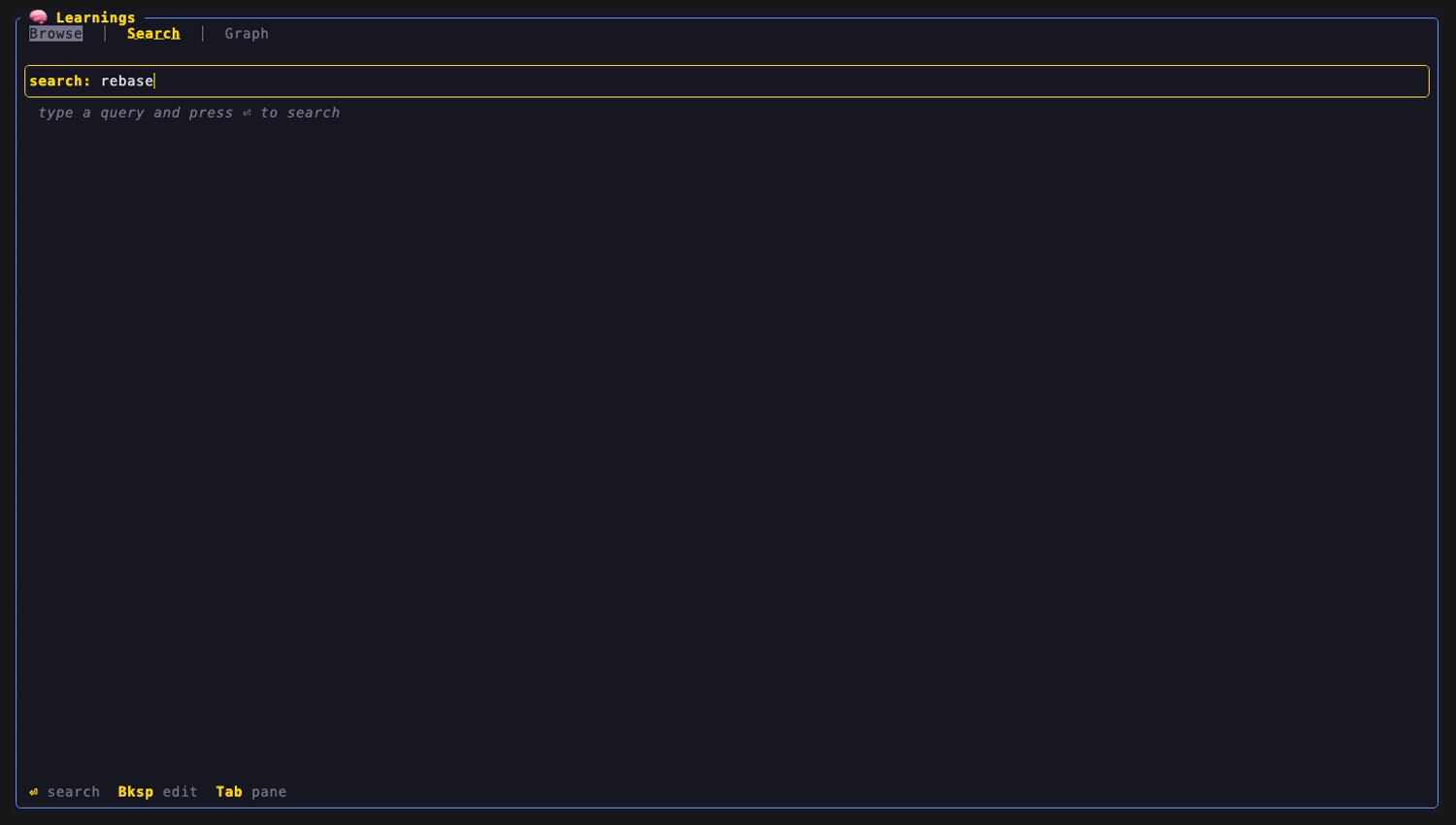
/ jumps to Search from any tab and focuses the query box. Type, then ⏎ to run it.
- Printable keys, including
j,kandg, type into the box. Result selection uses the arrow keys only. Backspacedeletes a character and clears stale results.- Each query runs twice on a worker thread, so the pane never blocks:
- BM25 via
qmd search --json(no LLM, near-instant) paints first. - Semantic via
qmd query --json -C 20(LLM rerank, slow when cold) swaps in when it lands. A subtle “refining” indicator shows in between.
- BM25 via
- If the semantic pass fails after BM25 painted, the BM25 hits stay on screen.
- A search is cut off at an 8 second ceiling and shows “search timed out”. Superseded or timed-out
qmdchildren are killed. ⏎on a hit opens the same Detail pane. A hit with no matching local note does nothing.
This is the same retrieval family the reflect hooks run automatically at session start. Here you drive it by hand.
Headless search
Section titled “Headless search”ainb learnings search "redis connection pooling" # semanticainb learnings search rust async --bm25 # BM25 only, no LLMainb learnings search clap -k 5 # top 5 (default 10)ainb learnings search clap --format json # id, score, title, fileText output is one line per hit: score, id, title. Exit code 2 on usage errors or when the plugin is not staged.
g focuses the Graph tab from anywhere, except while the Search box has focus (there g types into the query). The tab has three views over the same typed entity graph.
1. Entity neighbourhood (default)
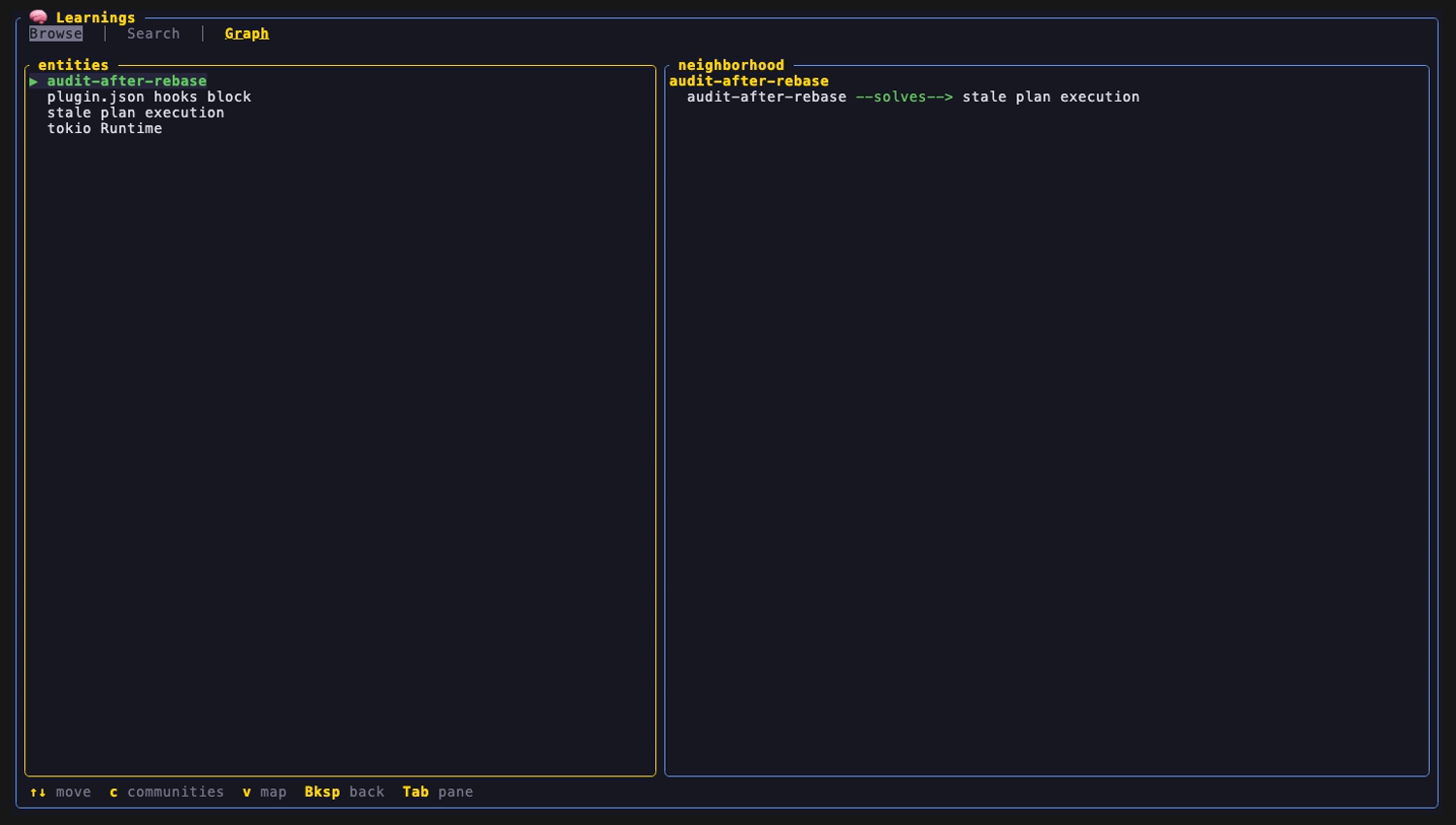
Section titled “1. Entity neighbourhood (default)”Pick an entity from the list to see its outgoing typed edges as entity --type--> neighbour, aggregated across all notes’ relationships[].
2. Community clusters
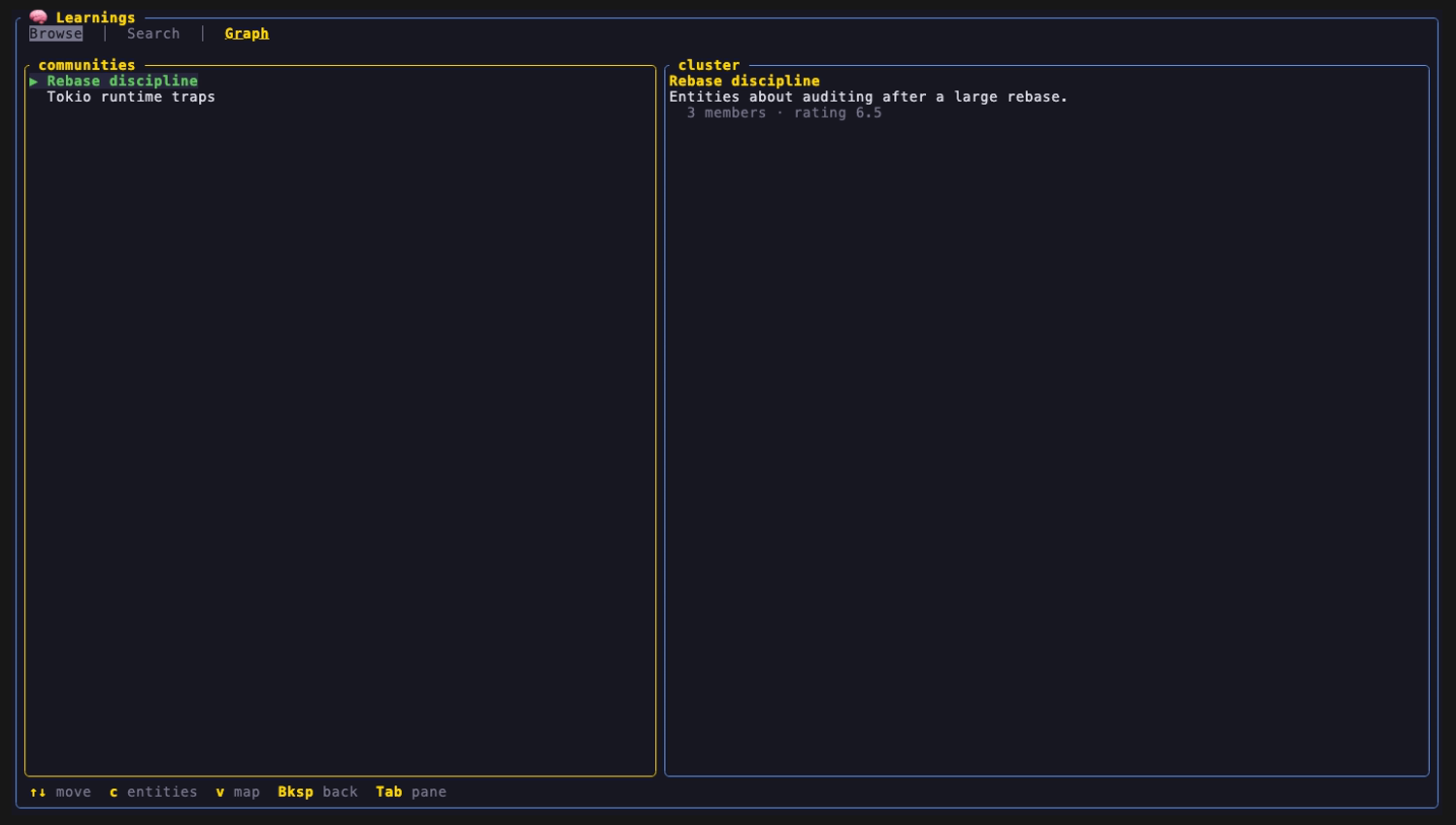
Section titled “2. Community clusters”c toggles to the nano-graphrag community view: one row per cluster from kv_store_community_reports.json, with title, member count and impact rating.
3. Radial ego map
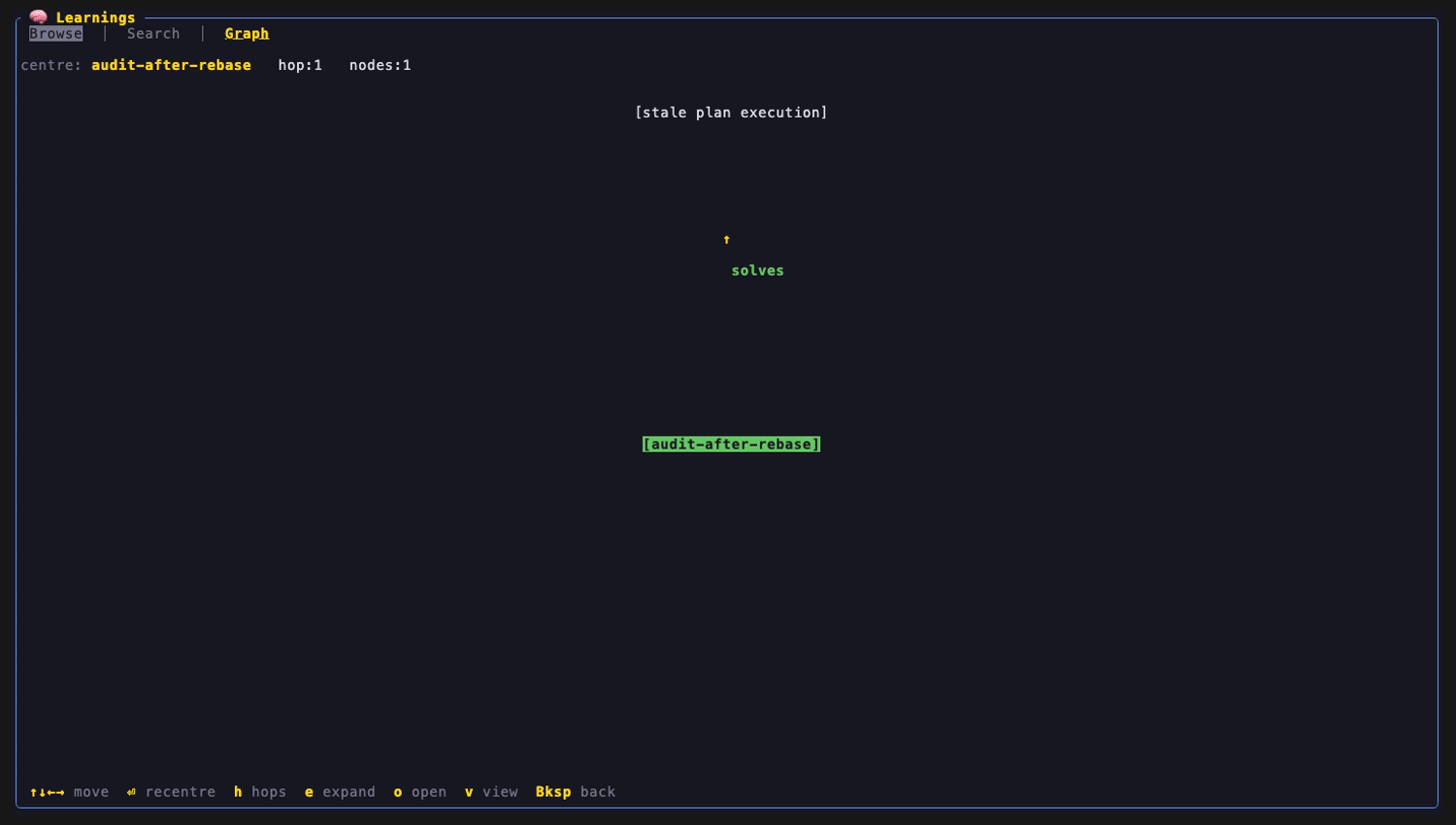
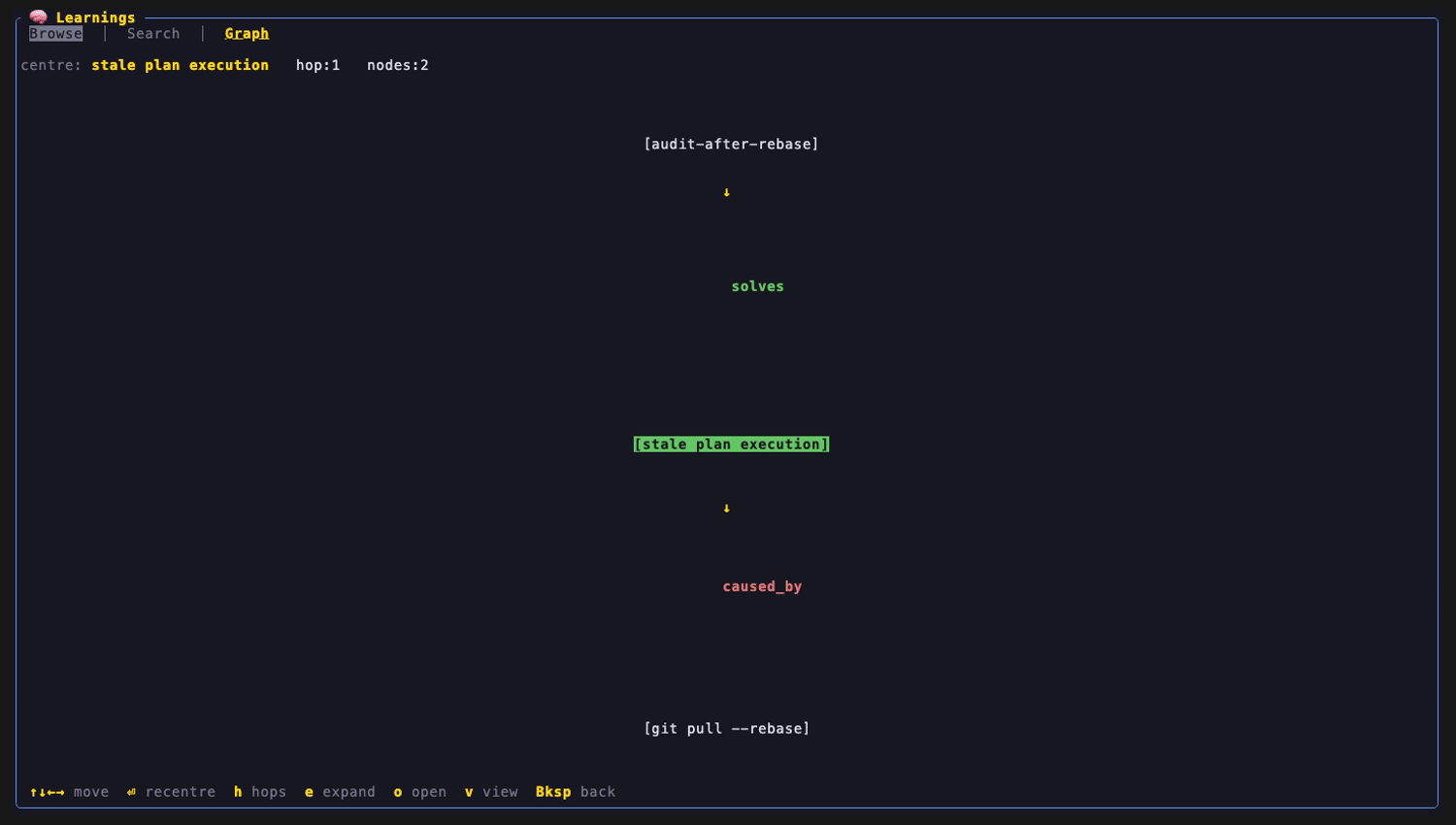
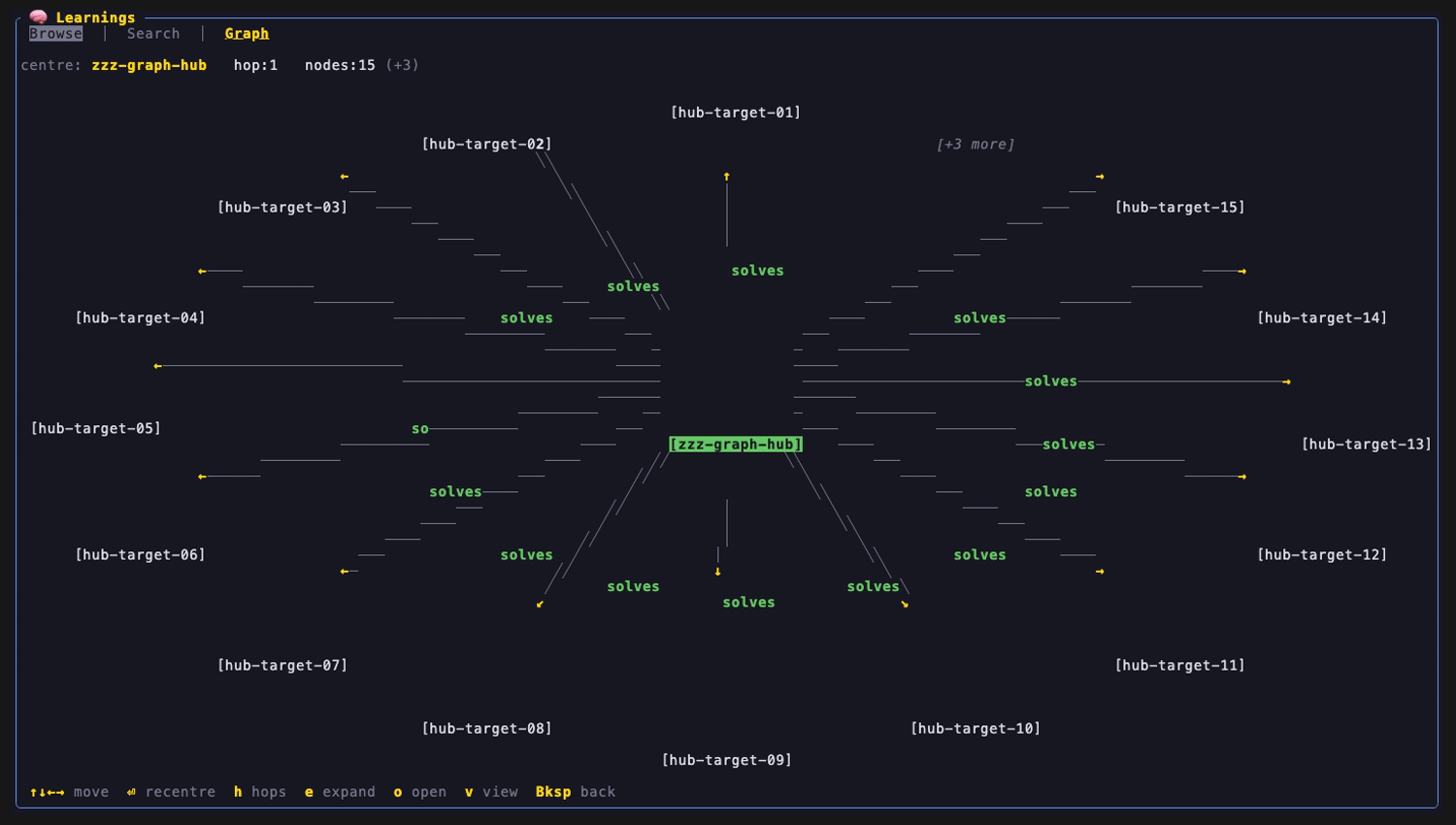
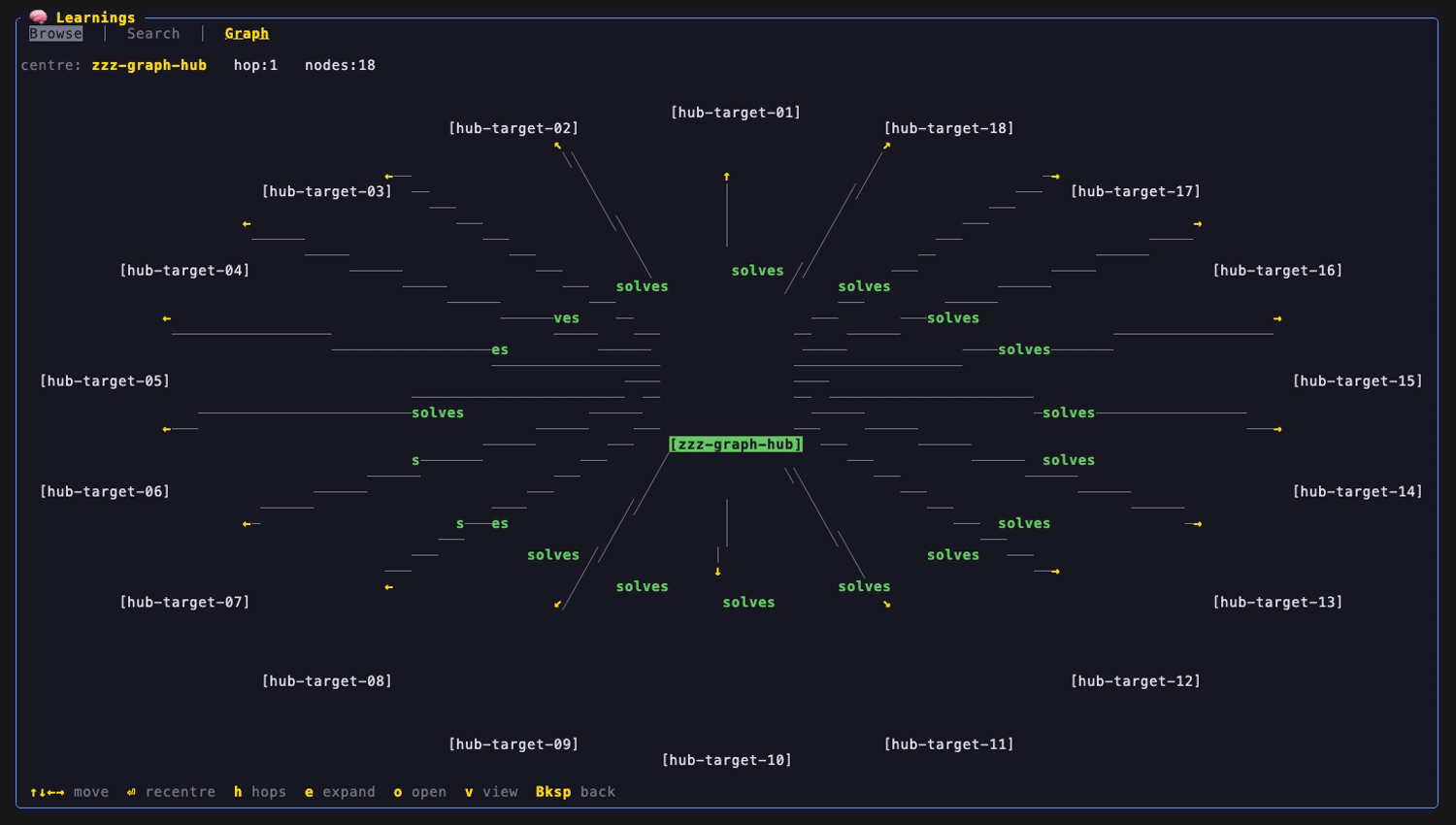
Section titled “3. Radial ego map”v swaps in a spatial local graph drawn on the character grid. The selected entity sits in the centre and its neighbours fan out on a ring as boxed nodes, joined by edges with arrowheads on directed relationships. Layout is deterministic (no physics, no randomness), so the same KB draws the same map.
Edge label colours: solves green, caused_by and causes red, requires blue. Everything else is grey. Only relates_to is undirected (no arrowhead); every other type is directed. reflect sidecars can carry more relationship types than the four coloured ones (enables, prevents, supersedes, uses and others, see KB format); those render grey with an arrowhead.
The map shows the centre plus 1 hop by default (h toggles 2 hops). Ring 1 is capped at 15 nodes, ordered by edge strength then name; the overflow folds into one [+N more] node that e expands.
| Centred on one entity | After ⏎ recentre on a neighbour |
|---|---|
 |
 |
Capped: nodes:15 (+3) |
Expanded with e: nodes:18 |
|---|---|
 |
 |
No whole-KB view and no force-directed layout exist; the ego map is intentionally cheap and deterministic.
Graph keymap
Section titled “Graph keymap”| Key | Action |
|---|---|
g |
Focus Graph |
↑ ↓ / j k |
Move selection (neighbourhood and community lists) |
c |
Toggle neighbourhood and community clusters |
v |
Toggle the radial map |
↑ ↓ |
In map: move across rings |
← → |
In map: orbit within a ring |
⏎ / click |
In map: recentre on the selected node (animated) |
h |
In map: toggle 1 or 2 hops |
e |
In map: expand [+N more] |
o |
In map: open the notes behind the entity (picker if several, then Detail) |
Backspace |
In map: leave the map. In text views: release graph focus. |
Tab, / and g always work, so you can leave a focused graph. Esc is reserved by the host.
Configuration
Section titled “Configuration”User values live in config.toml under [plugins.learnings] and are injected at plugin init.
| Key | Default | Meaning |
|---|---|---|
learnings_dir |
~/.learnings/documents/learnings |
Notes and sidecars (Browse, Graph). Not recursive. |
graph_cache |
~/.learnings/nano_graphrag_cache |
graphml and community JSON |
qmd_index |
~/.cache/qmd/index.sqlite |
qmd sqlite index |
qmd_collection |
learnings |
qmd collection name |
Any directory with the same note and sidecar layout works, so you can point the plugin at a different store.
Capabilities
Section titled “Capabilities”The plugin manifest asks for the minimum:
| Capability | Value |
|---|---|
read_paths |
~/.learnings, ~/.cache/qmd |
spawn_subprocess |
qmd, learnings |
write_plugin_data |
true (UI state only) |
event_bus |
true (refresh snapshots) |
cli_namespaces |
learnings (powers ainb learnings search) |
Setup order
Section titled “Setup order”- Install and run reflect so the KB exists: see Install for your harness.
ainb reflect bootstrapinstalls thereflect-kb[graph]engine throughuvand prints any missing system tools. - Make sure
qmdis onPATHand itslearningscollection is indexed.reflect reindexrebuilds the GraphRAG index and, whenqmdis installed, runsqmd updateandqmd embed. Without a qmd index, Search returns nothing while Browse still works. - Fix
learnings_dirif Browse is empty (see the caution above). - Press
min ainb.
Related: Architecture, Index and storage, Troubleshooting.